
MyParentTrail
When memories fade, records remain.
Clear, organized parenting documentation — all in one place. Document exchanges, communications, and incidents as they happen, and maintain an organized chronological record.
Simple, Honest Pricing
Parents have enough expenses. MyParentTrail is a single payment — no monthly fees, no recurring charges, no paywalls hidden inside the app.
One-Time Purchase
Why MyParentTrail?
Parenting schedules and exchanges can involve many small details over weeks, months, and years. Over time, remembering the details can become difficult:
MyParentTrail provides one organized place to record these details instead of relying on memory, scattered notes, screenshots, calendars, or text-message histories.
How It Works
A simple, structured workflow for organized documentation.
Set Up Your Family
Add the parent information and child or children relevant to the records. The app supports families with multiple children.
Add Your Parenting Schedule
Set up the expected parenting/exchange schedule. MyParentTrail uses the schedule to understand when exchanges are expected, including expected times, locations, and participants.
Document Exchanges
Quickly document Pick Ups and Drop Offs. MyParentTrail can compare the expected exchange with what actually occurred.
Document Other Events
Keep organized records of other relevant communications and incidents rather than limiting documentation to physical exchanges.
Review Your History
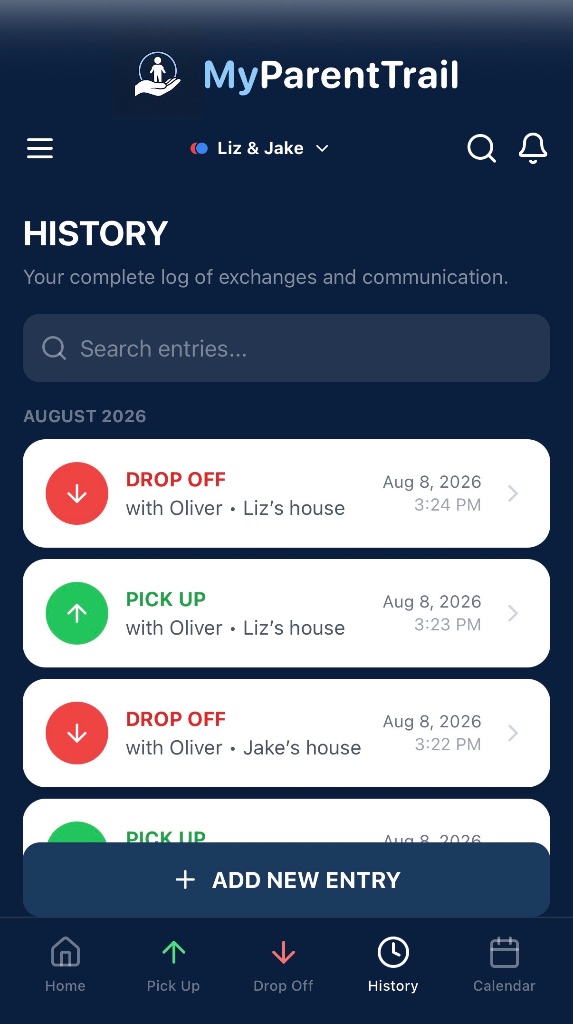
View documented records chronologically and search previous entries when needed.
Generate Reports
Turn documented records into organized reports for personal recordkeeping or for sharing when appropriate.
Document the Expected vs. the Actual
MyParentTrail doesn't simply record that an exchange occurred. When applicable, it preserves what was expected and what actually happened — allowing records to retain context rather than becoming isolated notes.
Quick Exchange Documentation
The app is designed so users can record the basic facts of an exchange quickly and add additional information when necessary. Emphasis is on structured documentation rather than lengthy journaling. Not every field must be completed for every entry.

History & Search
Documented entries remain organized in the user's history. Users can review previous records and search for information instead of scrolling through months of unrelated texts, notes, screenshots, and photos.
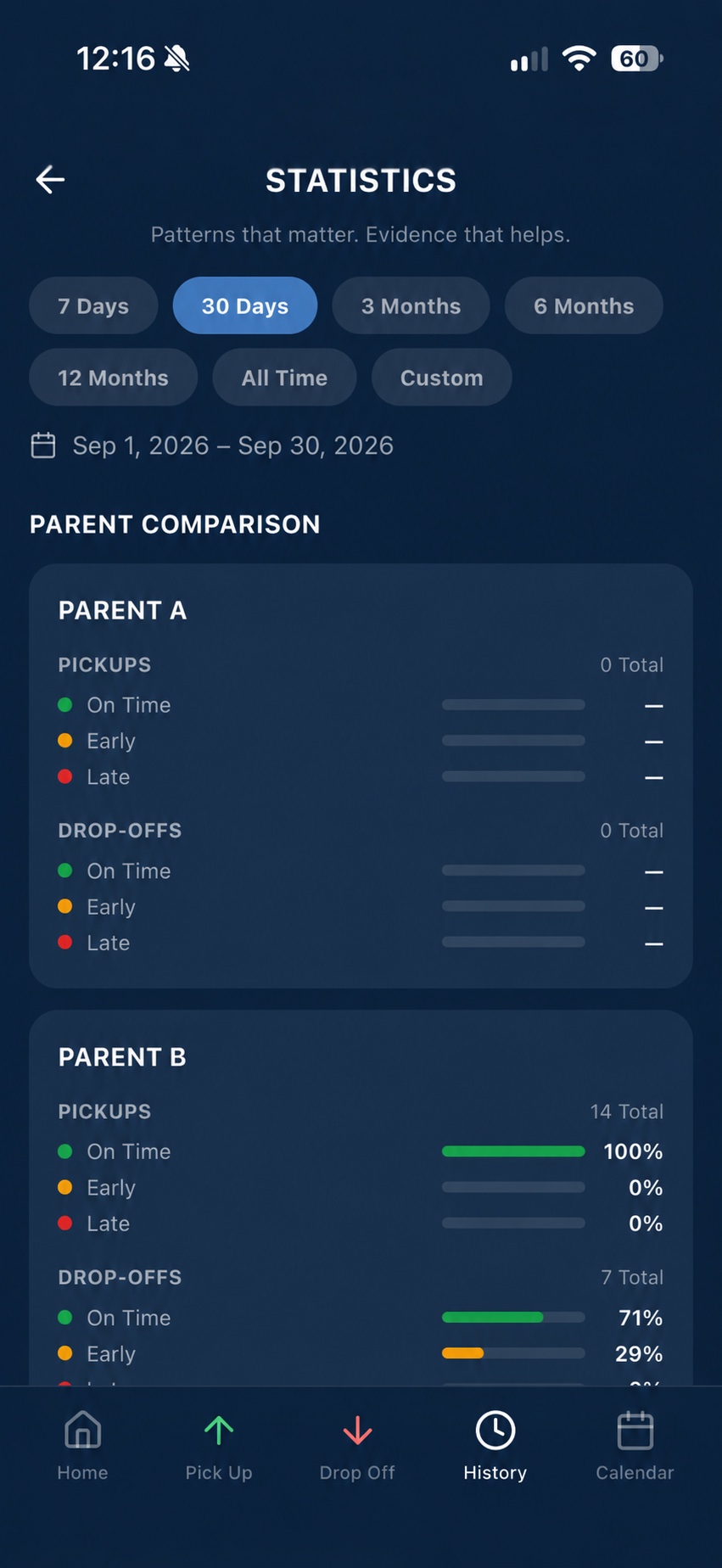
Parent Comparison
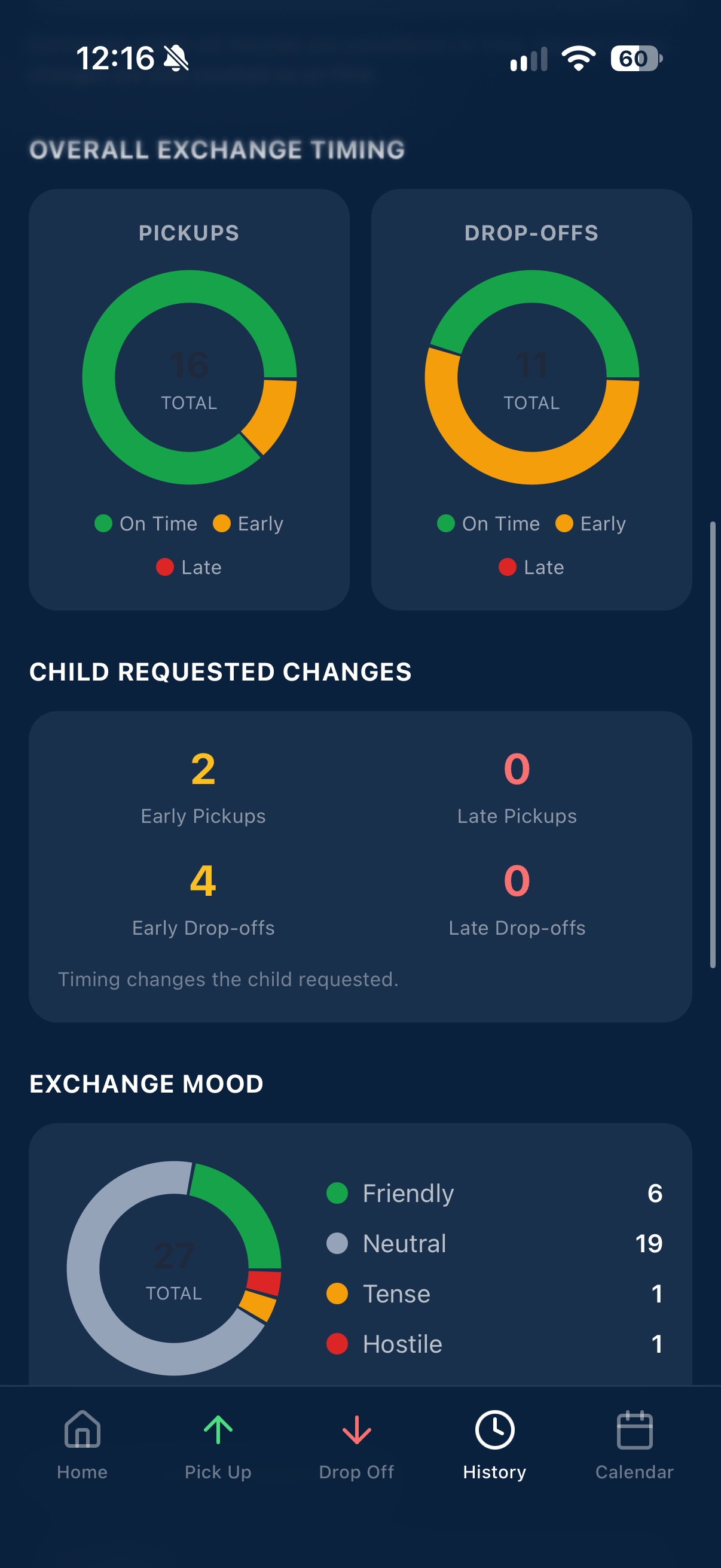
Exchange Timing & Mood
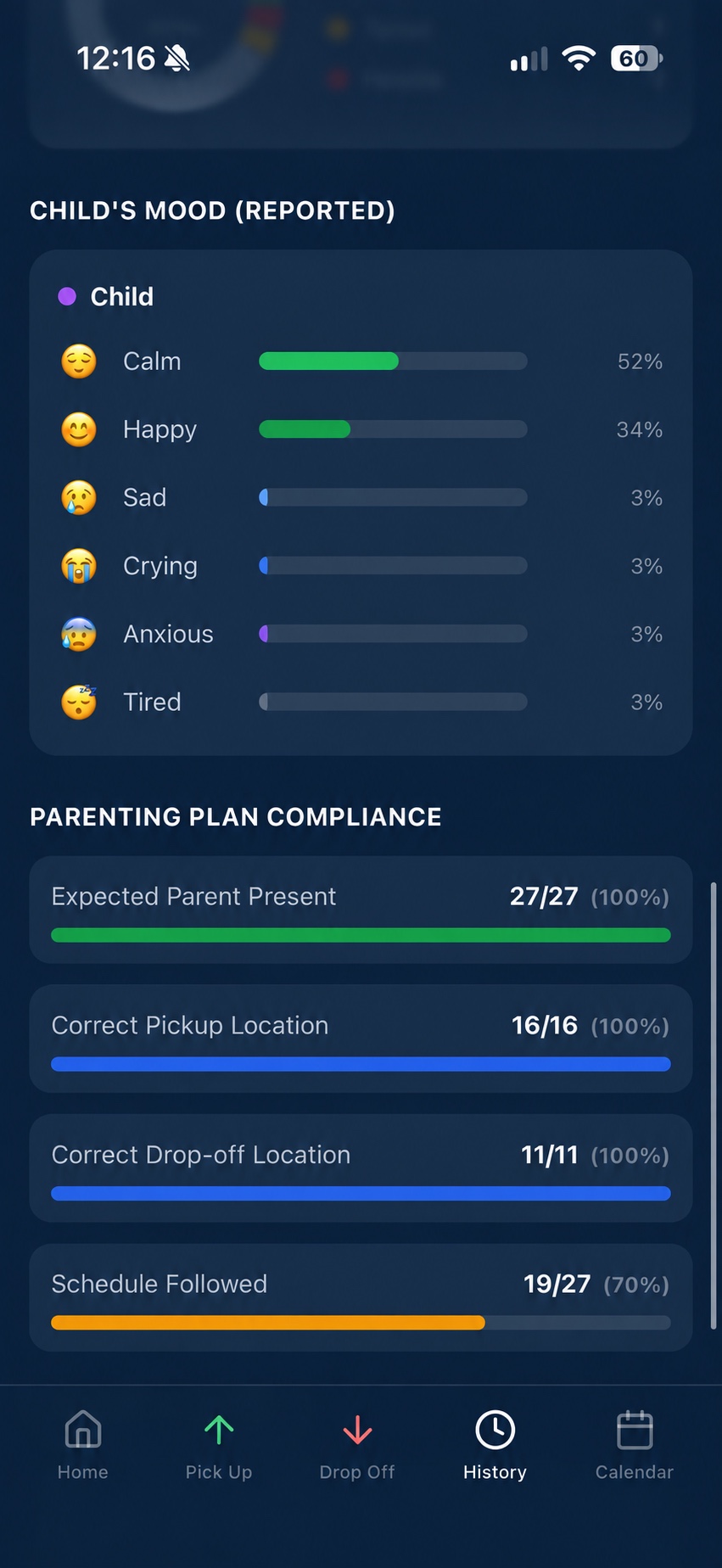
Child's Mood & Compliance
Swipe or use the arrows to flip between screens
Statistics & Patterns
MyParentTrail can summarize documented records to make patterns easier to understand.
Statistics are summaries of user-documented records. MyParentTrail does not independently verify behavior or determine whether a parent is compliant with a court order.
Record what happened. Keep the context.
MyParentTrail is designed around factual documentation. The goal is to help users preserve dates, times, events, observations, and supporting information without requiring them to reconstruct events from memory later.
Organized Reports
Turn documented records into clean, organized reports. Detailed entries preserve the information recorded for individual events, while the condensed activity log allows longer periods of documentation to be scanned more quickly.
Reports are useful for:
MyParentTrail reports are organizational documents created from user-documented information. They are not certified records or official legal filings. MyParentTrail does not guarantee that any report will be admissible or accepted in a legal proceeding, and reports do not constitute legal advice.
How to Use MyParentTrail
Tap any step to expand the details.
Frequently Asked Questions
Common questions about MyParentTrail.
Support
Need help? We're here for you.
Please do not submit sensitive parenting documentation, children's private information, court records, or MyParentTrail entries through this support form. This form is for general support inquiries only.